Most addon lists for Forever are the same list you'd write for Classic with a few names crossed off. That's the wrong shape, because Forever's addon situation isn't "some things broke" — it's a different set of rules.
Three restrictions define what an addon can be in Forever:
1. The combat log is closed to addons. Meters and any WeakAuras trigger that reads it no longer function. This is why your old auras don't fire.
2. Some aura and cooldown values are secret in combat. This is the subtle one. An addon can still draw a bar or an icon — it just cannot read the exact number or calculate with it. So a tracker that looks like it's working may be estimating, or may simply freeze mid-fight. If an addon seems half-broken rather than broken, this is usually why.
3. In instances, addons can't send chat messages — and other players' casts, enemy names and IDs are hidden.
That third one gets listed as a technical footnote and it's actually a behavioural change: automatic raid announcements are gone. No addon shouting "INTERRUPT INCOMING" or "X used Bloodlust" into party chat. Coordination in dungeons and raids is done by people talking now. Plan your groups accordingly.
So the useful list isn't "popular addons." It's what the native UI doesn't already cover, within the rules above. Here's that list.
The Three Big Names Are Gone — Here's What Replaced Them
TradeSkillMaster — No Forever Version
No Forever release exists and no date has been announced. Do not install the Classic file.
But the honest framing is better than "we lost TSM," because TSM's job got smaller in Forever. There's no WoW Token and no "pretty stacks" posting, so most of what TSM automated isn't needed.
Use instead:
Auctionator — the main replacement. Scans, tooltip prices, one-click posting.
ForeverArtisan — all 12 professions, shopping lists and price trends
Profession Master — recipes and guild crafters
Baganator — inventory across characters
ForeverArtisan's price trends are specifically the tool you want if you're farming Merchant's Favor, where picking the right crate tier depends entirely on current Bronze Tube and Steel Bar prices.
Two newer projects, AzerothCharts and Hammerprice, have only a few hundred downloads each. Test those on a bank character before trusting them with your main's gold.
Official WeakAuras — No Forever Version
Two community forks exist:
⚠️ Install only one. They share a folder name and saved settings, so installing both will corrupt your configuration.
And set expectations before you install either: combat log triggers will not fire, buffs only update in combat through the modern aura trigger, and your old auras have to be rebuilt from scratch. Importing a Classic aura string will not work.
For cooldowns and procs specifically, the built-in Cooldown Manager covers it without an addon — see our settings guide for configuring it.
Deadly Boss Mods — Reports Conflict
We're flagging this one rather than calling it. Some sources list DBM as having a working Forever release at launch; others describe only a limited port in progress.
What to do: check the CurseForge file list for a Forever file before you rely on it, and have BigWigs as your alternative. Install one, not both.
What the Native UI Already Covers — Don't Install These
Forever ships with tooling that replaces specific addons. Installing the addon anyway costs you performance and a patch-day breakage for no gain.
Native Feature | Addon You Don't Need |
|---|
Built-in damage meter | Details! (optional for deeper analysis) |
Built-in swing timer | Any swing timer addon |
Cooldown Manager | Rotation and cooldown trackers |
Raid frames with click casting | HealBot, Clique |
Edit Mode | Frame movers |
Minimap herb and mineral tracking | GatherMate2 |
Two gaps worth knowing about. The Cooldown Manager in beta could not track pet cooldowns or weapon enhancements like poisons — so Hunters and Rogues have a real hole there, and a WeakAuras fork may be worth it for them specifically. And Edit Mode's Classic preset restores the old frame positions, but the art stays modern; if you want the 2004 look, that needs an addon.
Featured Product
WoW Forever Gold
Use code BLOG10 for 10% off
The Top 10
Ranked by time saved across a 100-to-180-hour climb, not by popularity.
1. Questie

Quest helper — quest givers, objectives and turn-ins on the map.
An official Forever release exists. This is the single largest time saver available, because levelling is your first month in Forever and quest XP is the main route. Nothing else on this list comes close on hours returned.
2. Leatrix Plus

Quality-of-life toggles: auto quest accept and turn-in, auto repair, maximum camera zoom, and dozens more.
Each individual toggle is trivial. Together they remove several hundred small frictions per play session. Auto-repair alone saves you the one trip to a vendor you always forget.
Note it has a separate Forever file from its Classic version — make sure you've got the right one.
3. Talents Forever
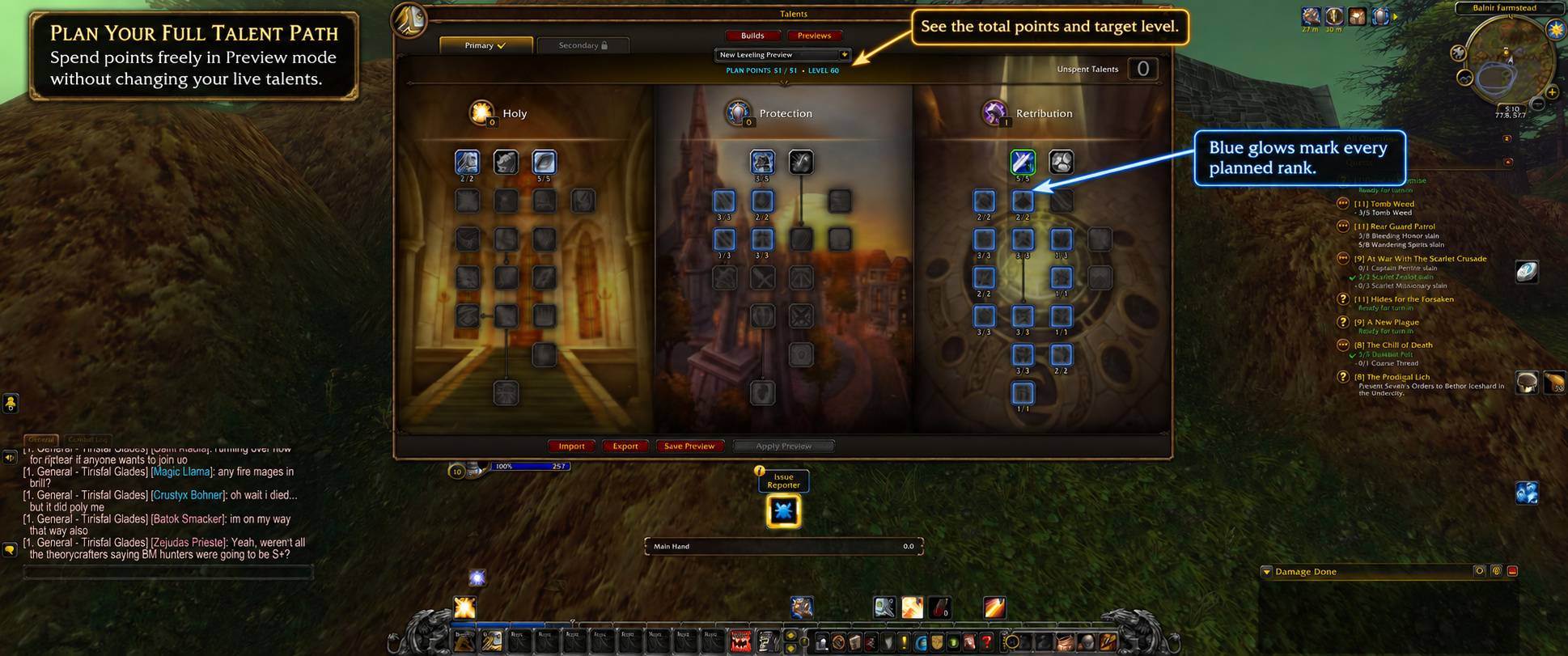
Plans the reworked talent trees and loads popular builds.
This is higher on our list than it will be on most, for a specific reason: Forever reworked the talent trees substantially, and remembered Classic builds don't map onto them. Forever also unified Hit and Crit and added Expertise, so the stat logic behind your old build is different too.
A planner that reflects the current trees is worth more in the first month of a relaunch than at any other time. See our class tier list for what changed per class.
4. Auctionator

Auction scans, tooltip prices, one-click posting.
The TSM replacement, and essential rather than optional given what Forever costs. Being fully mounted runs to 1,300 gold — see our mount guide — and Waylaid Crates for Merchant's Favor are bought on the Auction House rather than farmed.
Tooltip prices alone change how you handle every piece of vendor trash.
5. Baganator

Bag replacement with category or single-bag views, searchable across all your characters.
The cross-character search is the feature that earns the slot. If you're running the three-crafter plan to cover all 18 Legacy tradeskill points, you need to know which character is holding which reagent without logging in to check.
Bagnon is the alternative if you prefer it.
6. GearQuest Forever
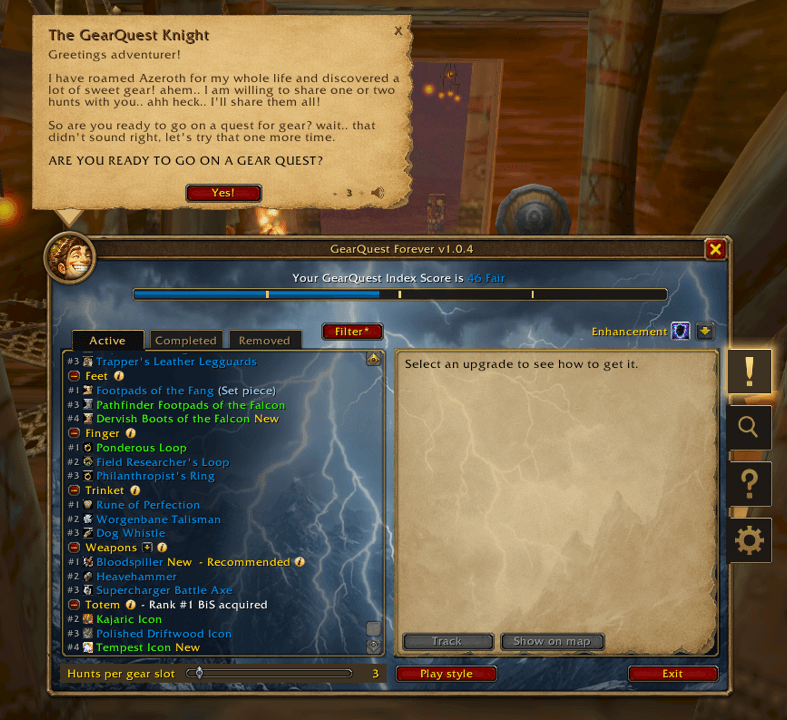
Best gear upgrades by class, spec and level, with sources and drop alerts.
This fills a real hole. No BiS lists exist for Forever yet — raids are new, nobody has parsed a boss, and any published gear list is guesswork. An addon that tells you what's actually an upgrade for your current level and spec, and where it drops, is the honest substitute for a BiS list that doesn't exist.
The drop alerts are the underrated half: it tells you when something in the instance you're standing in is an upgrade.
7. Leatrix Maps
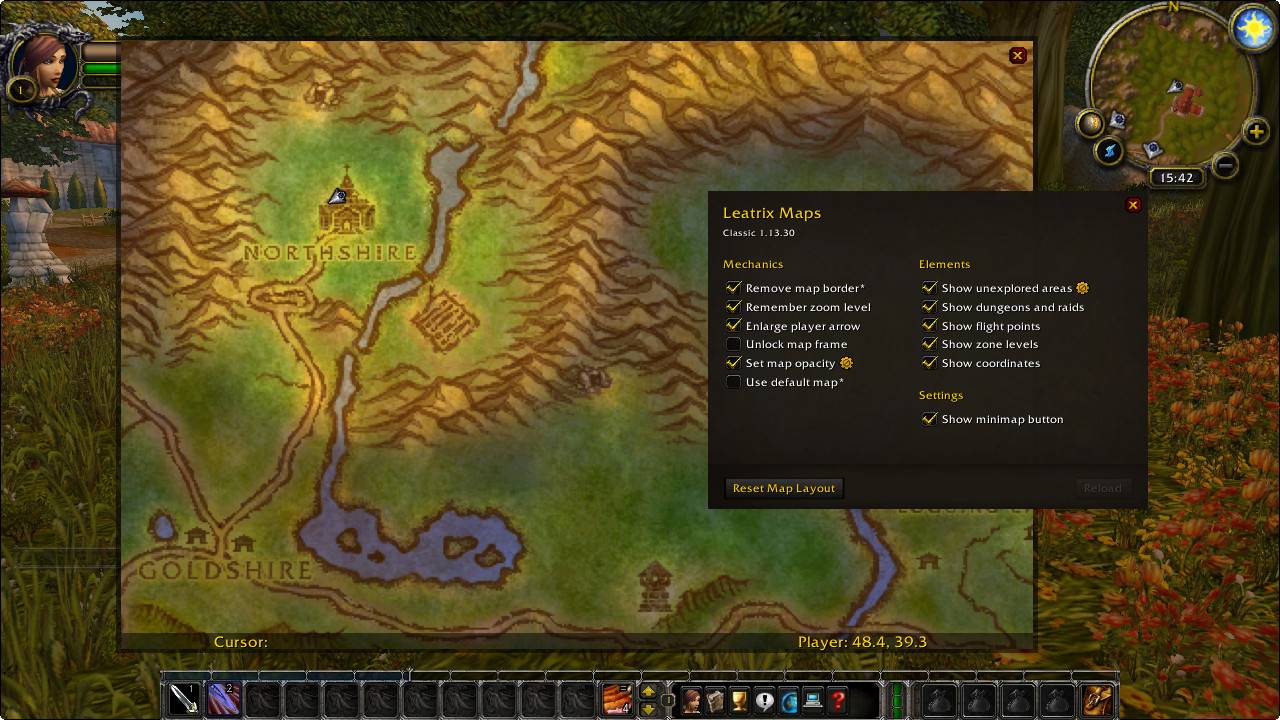
Unexplored areas, zone levels, dungeon entrances and flight points on the map.
Two reasons it's top 10. First, Forever's open world is deliberately large and dungeon entrances are not all obvious. Second, and more specifically: one of the 65 Legacy Challenges is exploring the full world map on a single character. Leatrix Maps showing unexplored areas turns that from a scavenger hunt into a checklist.
Also a separate Forever file — check before installing.
8. Plater Nameplates

Nameplate customisation.
Nameplates aren't cosmetic in Forever. On a PvP ruleset, nameplate range and visibility are survival settings — seeing an enemy player two seconds earlier is the whole engagement. Plater lets you tune what the native options can't.
Pairs naturally with Bartender4 if you want to rebuild your bars piece by piece rather than installing a full suite.
9. BigWigs or DBM — Pick One

Boss timers and warnings.
Given the conflicting reports on DBM's Forever status, BigWigs is the safer install right now. Check both file lists and take whichever has a current Forever build.
Set your expectations correctly: in instances, other players' casts and enemy IDs are hidden and addons cannot post to chat. Your boss mod shows you your own timers. It will not announce anything to your group and it cannot see what it used to see. Blizzard's position is that fights are designed to be playable without one — and with Highlight Important Casts enabled in the native settings, that's largely true.
10. ForeverAuras or Musca Auras — One of Them
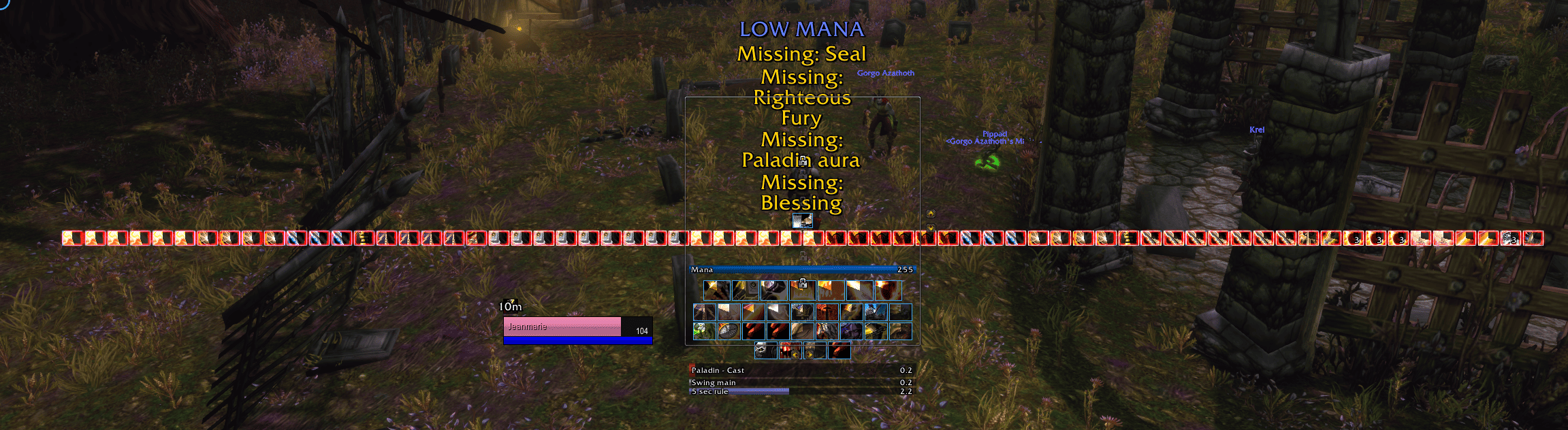
The WeakAuras replacement.
Last on the list deliberately, because for most players the native Cooldown Manager covers what they actually needed auras for. Install a fork if you're in one of the specific gaps:
Hunters — pet cooldowns aren't covered natively
Rogues — weapon enhancements like poisons aren't covered natively
You want a class HUD beyond what Cooldown Manager offers — Musca Auras ships a one-click one
Install exactly one fork, and expect to rebuild rather than import.
Honourable Mentions, by What You're Doing
Levelling
RestedXP Guide — step-by-step route, free to about level 20 Alliance / 22 Horde
Forever Quest Tint — tints quests that did not exist in Classic. If you're a returning Classic player, this is the fastest way to see what's actually new.
Quest Master – Forever — free, pins unpicked quests and points to the nearest
Forever Loot Sparkles — sparkles on lootable quest items, herbs and ore
What's Training? — trainer spells and weapon skills with costs
Spoken — AI voices read quest text (audio packs download separately)
Dungeons and gear
Attune — tracks attunements and dungeon quest chains, via /attune
Dungeon Journal — Forever dungeon guide with quests, maps and loot
MapUtils — dungeon floor maps with bosses and quest items marked
AtlasLoot Classic Forever — loot tables and drop rates (data still filling in)
ThreatClassic2 — simple threat meter for tanks, separate Forever file
ItemRack TBC Classic & Forever — trinket swapping and gear sets
Our guides to Ragefire Chasm, Hall of Thanes and Ruins of Lordaeron cover the 13–22 bracket in detail.
Professions and gold
ForeverArtisan — all 12 professions, shopping lists, price trends
Profession Master — recipes and guild crafters
Full UI replacements (pick one, not several)
ElvUI — complete interface replacement. Download from tukui.org only, and note: no gamepad support. If you're playing on a controller, ElvUI is out — see the controller section of our settings guide.
ForeverUI — all-in-one: raid frames, meter, bars, nameplates, bags, chat
EllesmereUI — full suite with both Classic and Forever styling
ClassicUI Forever — restores the 2004 look, toggled with /fcui. Use the version by justawower.
BetterBlizzFrames and BetterBlizzPlates — dark mode, class colours, cleaner bars
PvP
Overlord Forever — world PvP with capturable fronts, keeps and outposts, plus a leaderboard. Ambitious and may be buggy.
DBM PvP Mods — battleground objective timers (needs DBM)
Capping Battleground Timers — lighter alternative
Window handling
BlizzMove — drags windows the game locks, such as bags and the spellbook
MoveAny — drags and resizes
MinimapButtonButton — collects minimap buttons into one
Featured Product
WoW Forever Attunements Boost
Use code BLOG10 for 10% off
Installing Addons in Forever — The Traps
The Version Check That Explains Most Failures
An addon only works in Forever if its author uploaded a Forever file: game version 1.60.1, interface 16001. A Classic file will not load correctly no matter how recently it was updated.
Several addons publish a separate Forever file rather than adding Forever to an existing one — Leatrix Plus, Leatrix Maps, Pawn and ThreatClassic2 among them. Look for a file actually labelled for Forever.
CurseForge App
Install the app and open the World of Warcraft entry
Select "Forever" in the version selector. If it's missing, scan for games or add the folder manually
With Forever selected, only Forever-compatible addons appear in search
Beta-only addons are hidden by default — change the release type to Beta or Alpha in that addon's menu. Clique and GatherMate2 are currently beta-only.
Fully restart the game the first time you add addons, then use /reload for subsequent changes
Manual Install
Battle.net → WoW → select Forever → gear icon → Show in Explorer
Navigate to World of Warcraft\_forever_\Interface\AddOns, creating folders if needed
Put the addon folder directly in AddOns, with its .toc inside. Do not nest it inside a second folder of the same name — this is the single most common manual-install mistake
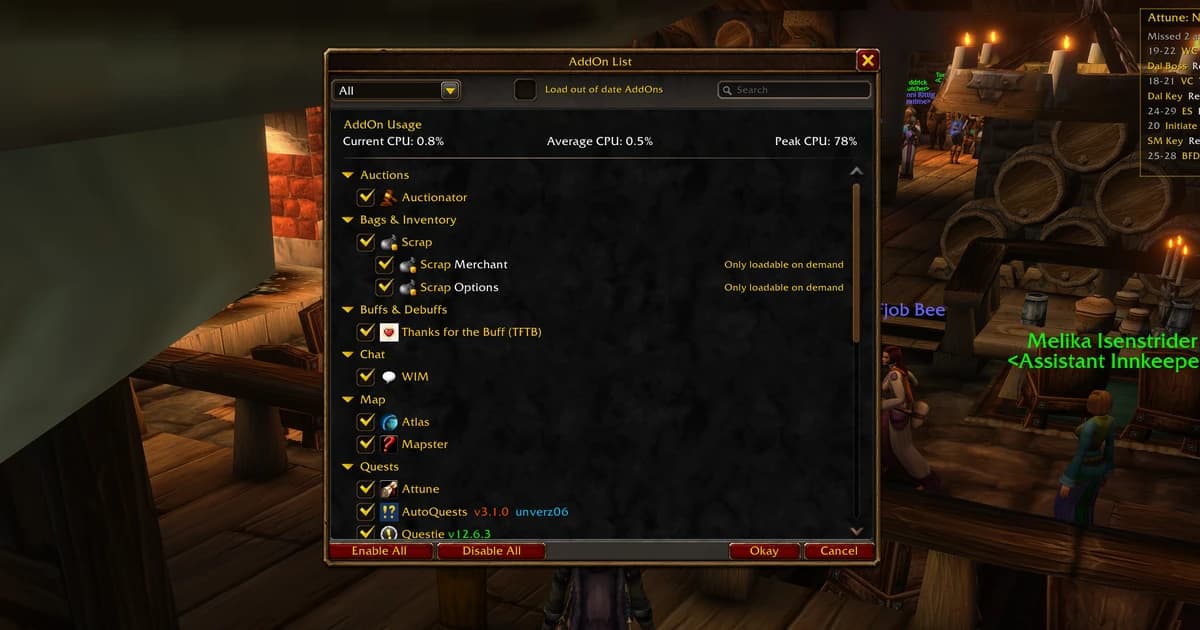
Enable addons from the AddOns button on the character select screen
Migrating From the Beta
The beta used _classic_beta_. Copy its Interface and WTF folders into _forever_, then update every addon. Leftover beta files are the usual cause of error pop-ups at login.
The Settings Bug — Back Up Your WTF Folder
Settings not saving was a known beta issue and Blizzard hasn't confirmed a launch fix.
What to do: use /reload or log out properly after changing settings, relog to verify they stuck, and back up your WTF folder once your UI is how you want it. Don't use third-party "fix" tools for this.
What to Avoid
No Forever version — don't install the Classic file:
Works with caveats:
Avoid entirely:
And keep the total small. Five to ten addons is the sensible range. Every addon is something that can break on patch day, and a 30-addon install means spending every patch Tuesday diagnosing instead of playing.
Will Addons Get Me Banned?
No. Installing addons from CurseForge is normal and permitted.
What breaks the rules is third-party software that automates gameplay from outside the game — bots, input automation, packet tools. That's a different category of thing entirely, and no addon on this page is in it.
FAQ
Does WeakAuras work in WoW Forever? The official addon has no Forever version. Two forks do: ForeverAuras (most downloaded) and Musca Auras (a WeakAuras 5.22.0 port with a one-click class HUD). Install only one — they share a folder name and saved settings. Combat log triggers won't fire and old auras must be rebuilt rather than imported.
Does TradeSkillMaster work? No Forever version exists and none has been announced. Use Auctionator as your main auction tool, plus ForeverArtisan for professions and price trends. Forever has no WoW Token and no pretty-stacks posting, so most of what TSM automated isn't needed here.
Why do my addons load with errors? Almost always a version mismatch. An addon needs a file built for Forever — game version 1.60.1, interface 16001. Also check you haven't got Classic or Retail files sitting in the _forever_ folder, and that beta leftovers from _classic_beta_ have been cleared out.
Why does my cooldown tracker freeze mid-fight? Because some aura and cooldown values are secret in combat. The addon can draw the bar but can't read the exact value or calculate with it. That's the API, not a bug in the addon. The native Cooldown Manager is the reliable option.
Why don't my boss mods announce anything to the group? Addons cannot send chat messages inside instances, and other players' casts and enemy IDs are hidden. Boss mods show you your own timers only. Automatic raid announcements are gone — coordinate by voice or by typing.
Do I still need a damage meter? Forever ships one. Details! has a Forever release if you want deeper analysis, but the built-in meter covers everything it's allowed to see, and the combat log being closed to addons limits what any meter can do.
What's the minimum useful set? Questie, Leatrix Plus, Auctionator and a bag addon. That's four addons covering quests, friction, gold and inventory — the four things that cost you the most time.
Is DBM working? Reports conflict. Some list a working Forever release, others describe a limited port in progress. Check the CurseForge file list for a current Forever file, and use BigWigs if DBM doesn't have one. Install one, not both.
Which addons does the native UI make unnecessary? Swing timers, frame movers, rotation and cooldown trackers, HealBot and Clique (native raid frames have click casting), and GatherMate2 (minimap herb and mineral tracking is built in). Two native gaps remain: pet cooldowns and weapon enhancements like poisons weren't trackable in the Cooldown Manager during beta.
Can I use ElvUI with a controller? No. ElvUI has no gamepad support in its initial Forever release. Use the native Edit Mode layout instead, which works with Forever's built-in gamepad support.
The Short Version
The combat log is closed to addons, some combat values are secret, and addons can't post to chat inside instances. That last one means automatic raid announcements are gone — coordination is human now.
Three big names have no Forever version: TradeSkillMaster, official WeakAuras and AdiBags. Use Auctionator and ForeverArtisan for the first, and one WeakAuras fork for the second.
The top 10: Questie, Leatrix Plus, Talents Forever, Auctionator, Baganator, GearQuest Forever, Leatrix Maps, Plater, BigWigs or DBM, and one WeakAuras fork.
If you only install four: Questie, Leatrix Plus, Auctionator and a bag addon.
Check for a Forever file — version 1.60.1, interface 16001 — install into _forever_\Interface\AddOns, back up your WTF folder, skip the FPS optimizers, and keep the total under ten.
Featured Product
WoW Forever Explore Azeroth Boost
Use code BLOG10 for 10% off
85€
Shop Now


 WoW Forever